AI Agents (GoVerse Agents)
Menu: AI Agents · Requires a plan with advanced AI (Premium+)
GoVerse Agents are conversational AI assistants built into GoVerse. You chat with an agent in plain language and it uses the platform's tools on your behalf — to find the right talent, screen and rank candidates, build talent pools, create interactive dashboards, and more — all from within the system, without you clicking through screens yourself.
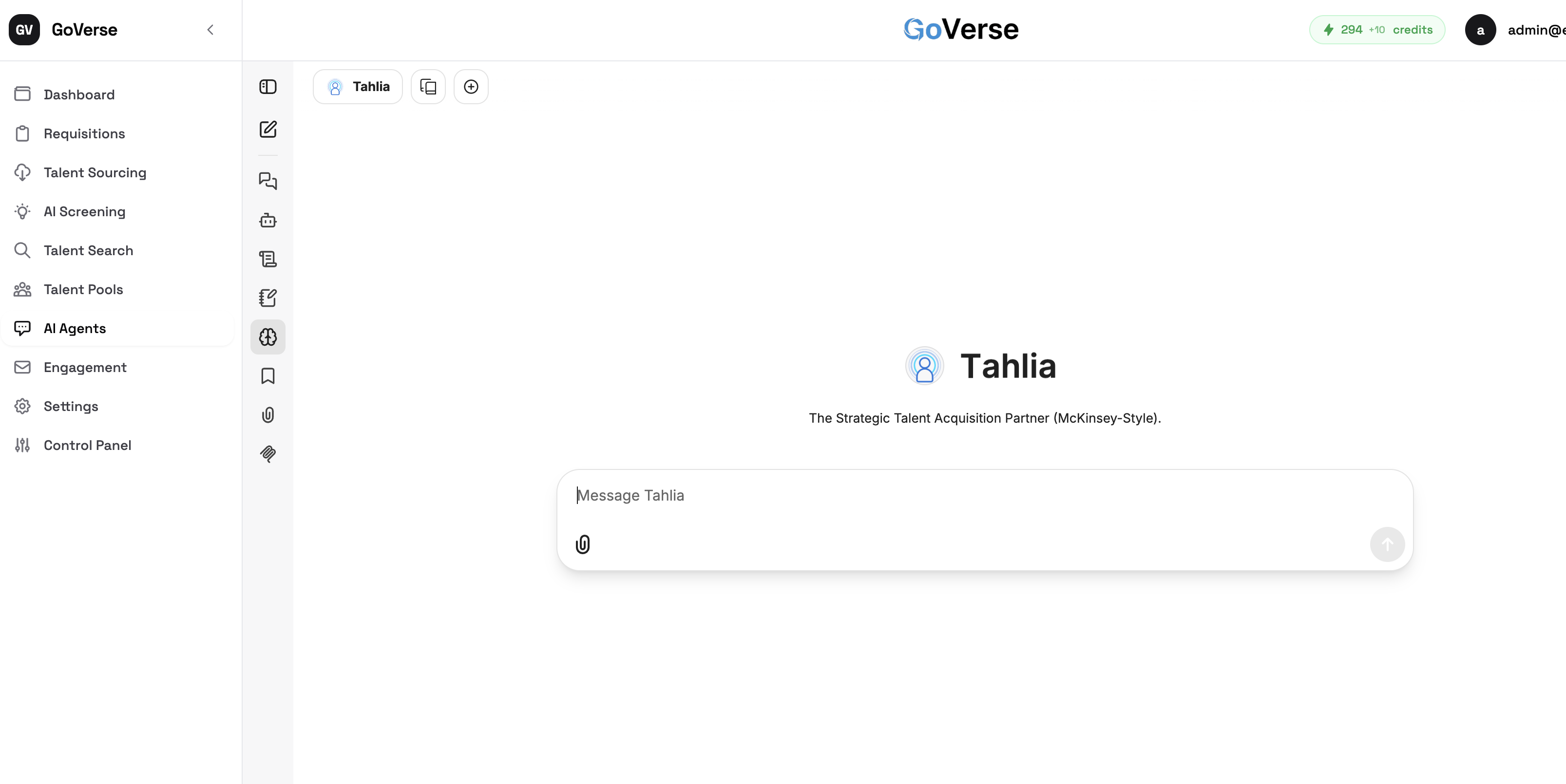
What each plan includes
Premium accounts come with Tahlia, a ready-made strategic talent-acquisition agent you can use out of the box to find talent, screen and rank candidates, and build talent pools. Platinum accounts add the ability to create new agents, the Agent Marketplace, and custom agent creation — so you can build and share assistants tailored to your team.
Uses AI credits
Conversations with GoVerse Agents consume AI credits (your balance is shown in the header).
How to get there
Select AI Agents in the left menu, choose an agent (for example Tahlia, a strategic talent-acquisition assistant), and type in the message box to start. The menu item is hidden if your plan doesn't include advanced AI.
What an agent can do
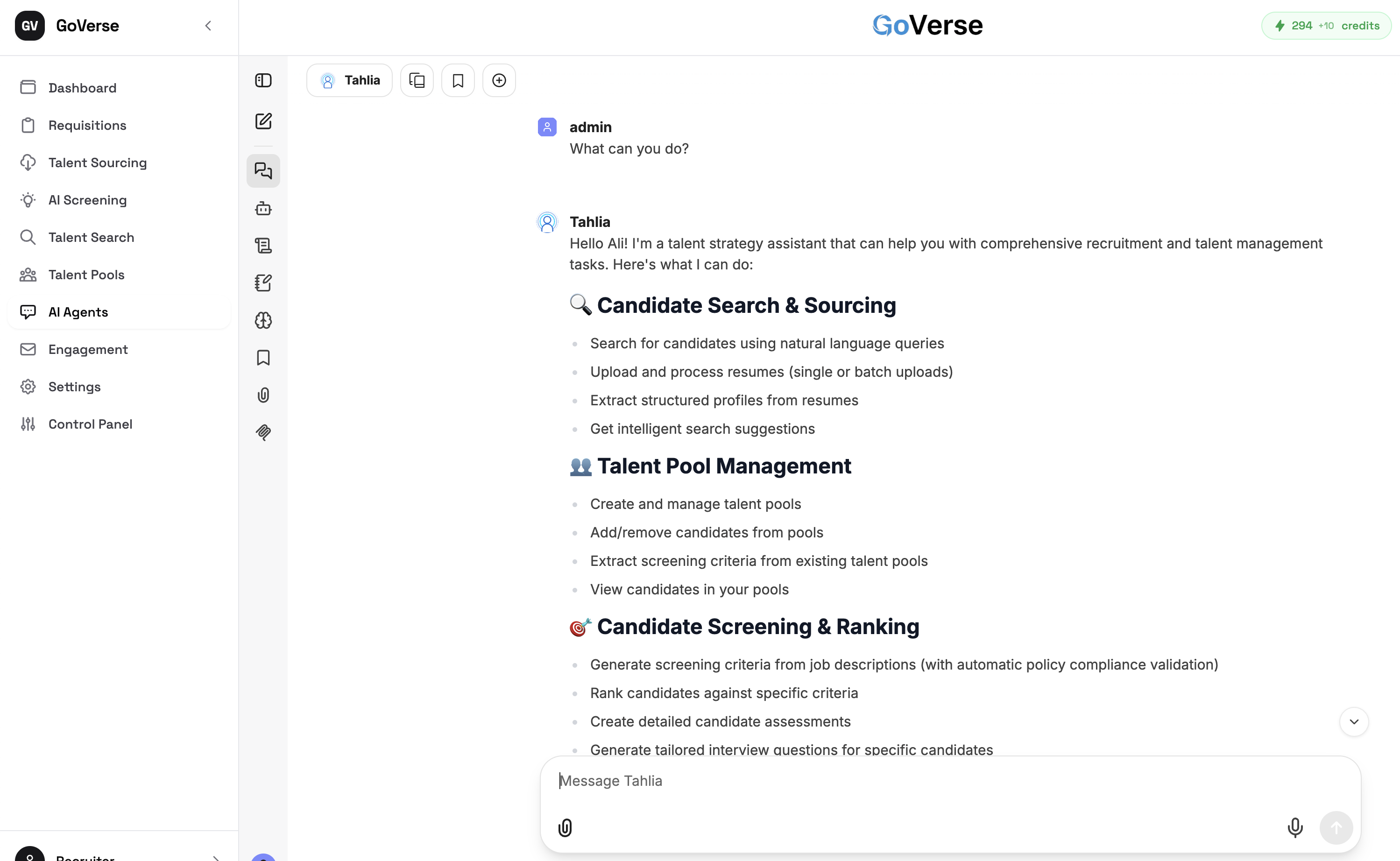
Ask an agent "What can you do?" and it describes its skills. A talent agent like Tahlia covers the recruiting workflow end to end:
- Candidate search & sourcing — search with natural-language queries, upload and process résumés, extract structured profiles, get search suggestions.
- Talent pool management — create and manage pools, add or remove candidates, extract screening criteria from existing pools.
- Candidate screening & ranking — generate screening criteria from a job description, rank candidates against criteria, produce assessments, and draft tailored interview questions.
Working conversationally
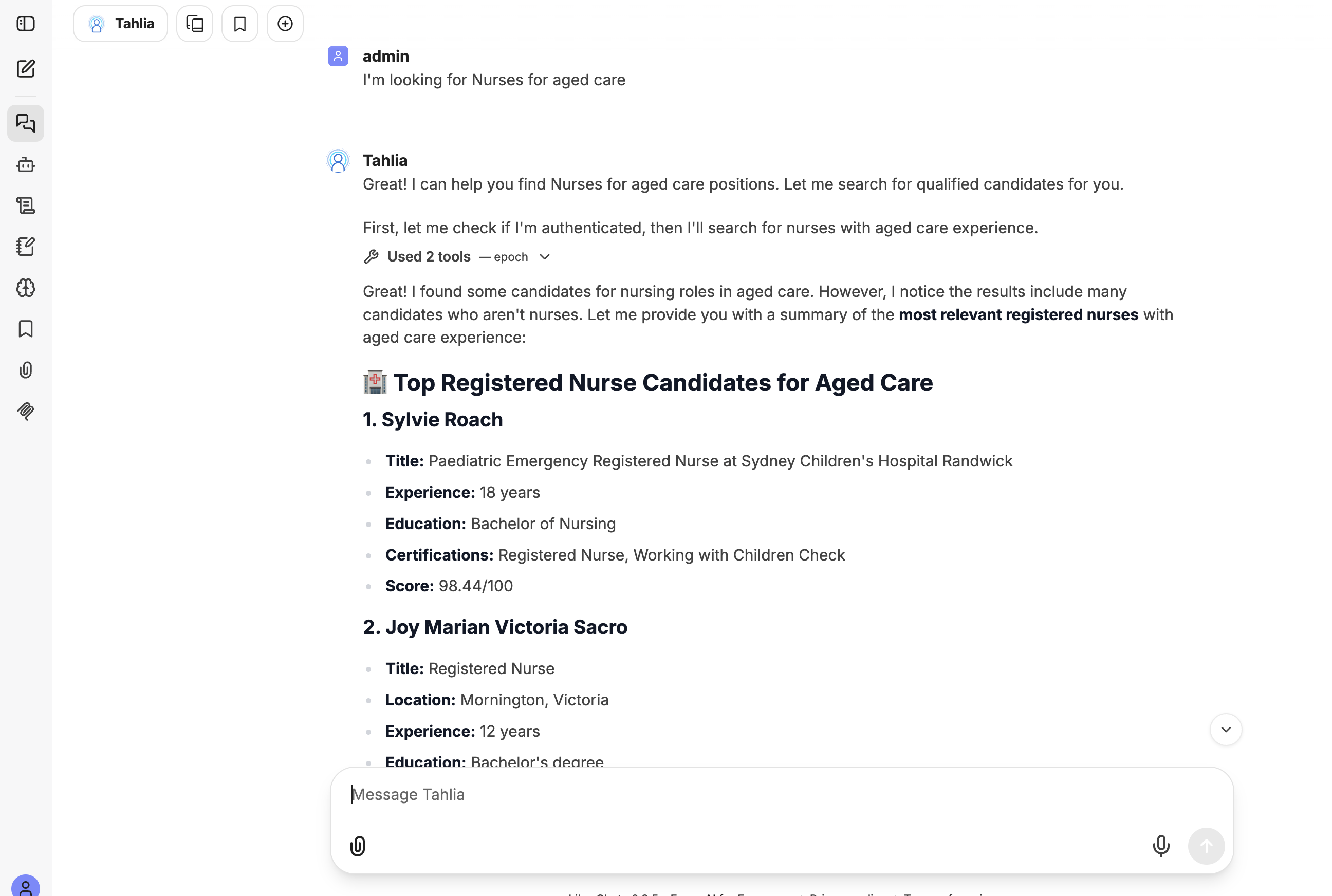
Just tell the agent what you need. When it needs data, it calls the platform's tools (you'll see a "Used tools" note) and comes back with a clear, ranked answer — for example, top candidates for a role with experience, certifications, and a match score.
Interactive results (artifacts)
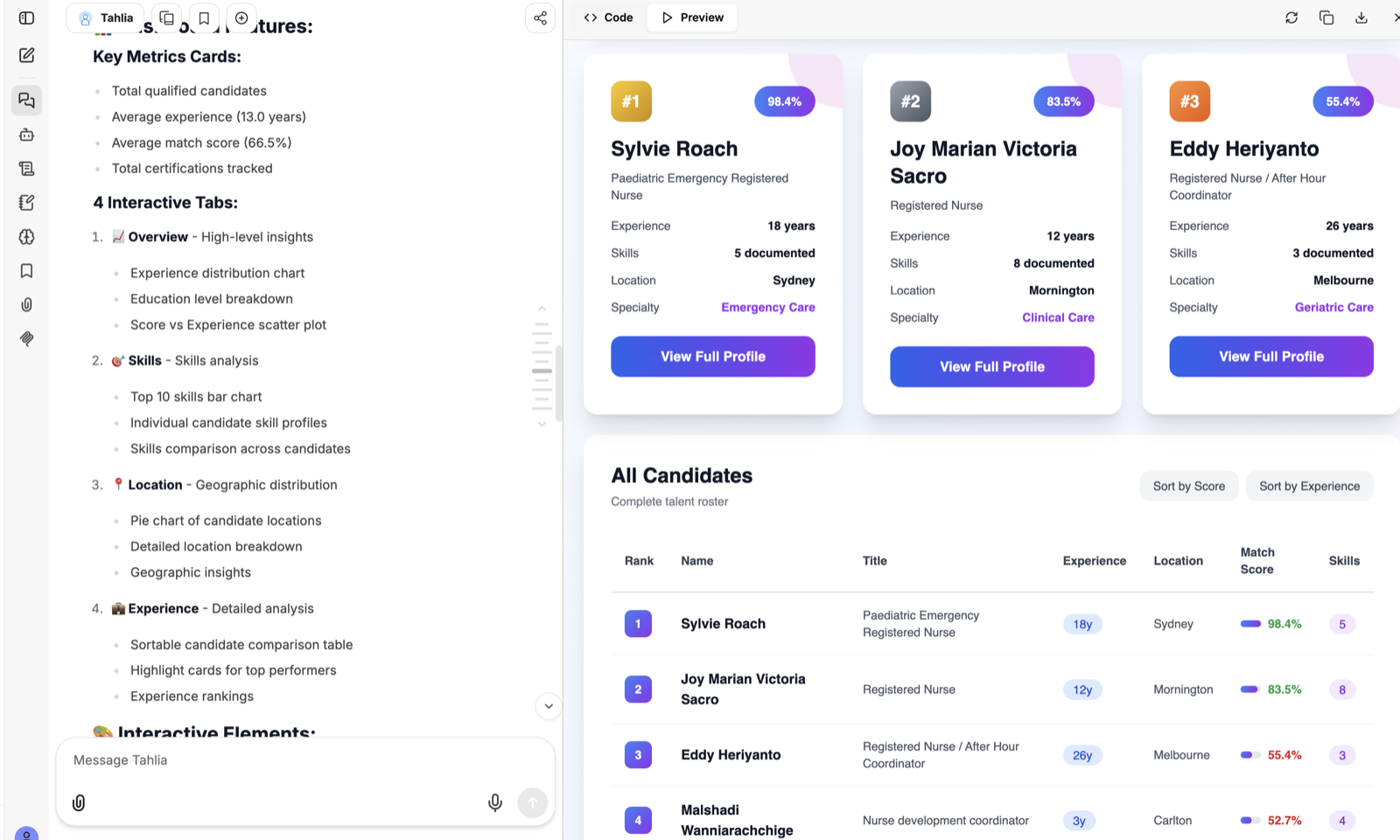
Agents can build interactive artifacts — not just text. Ask for a dashboard and the agent generates one you can explore right there: key-metric cards, charts across skills, location and experience, with tabs to switch views. You can toggle between the live Preview and the underlying Code.
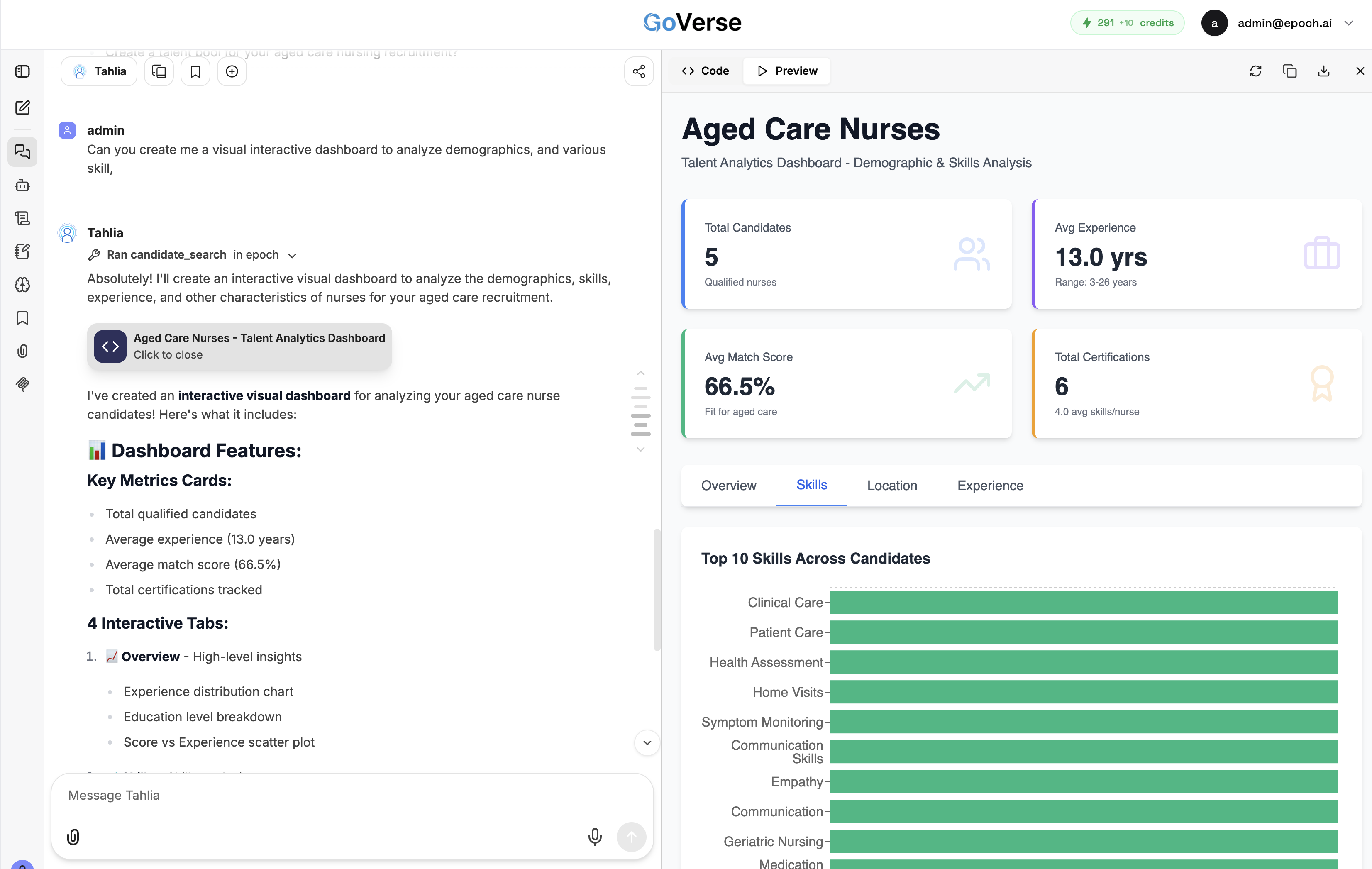
Agents can turn candidate data into rich, interactive visualisations — charts and breakdowns you can explore to compare a shortlist at a glance.
The Agent Marketplace
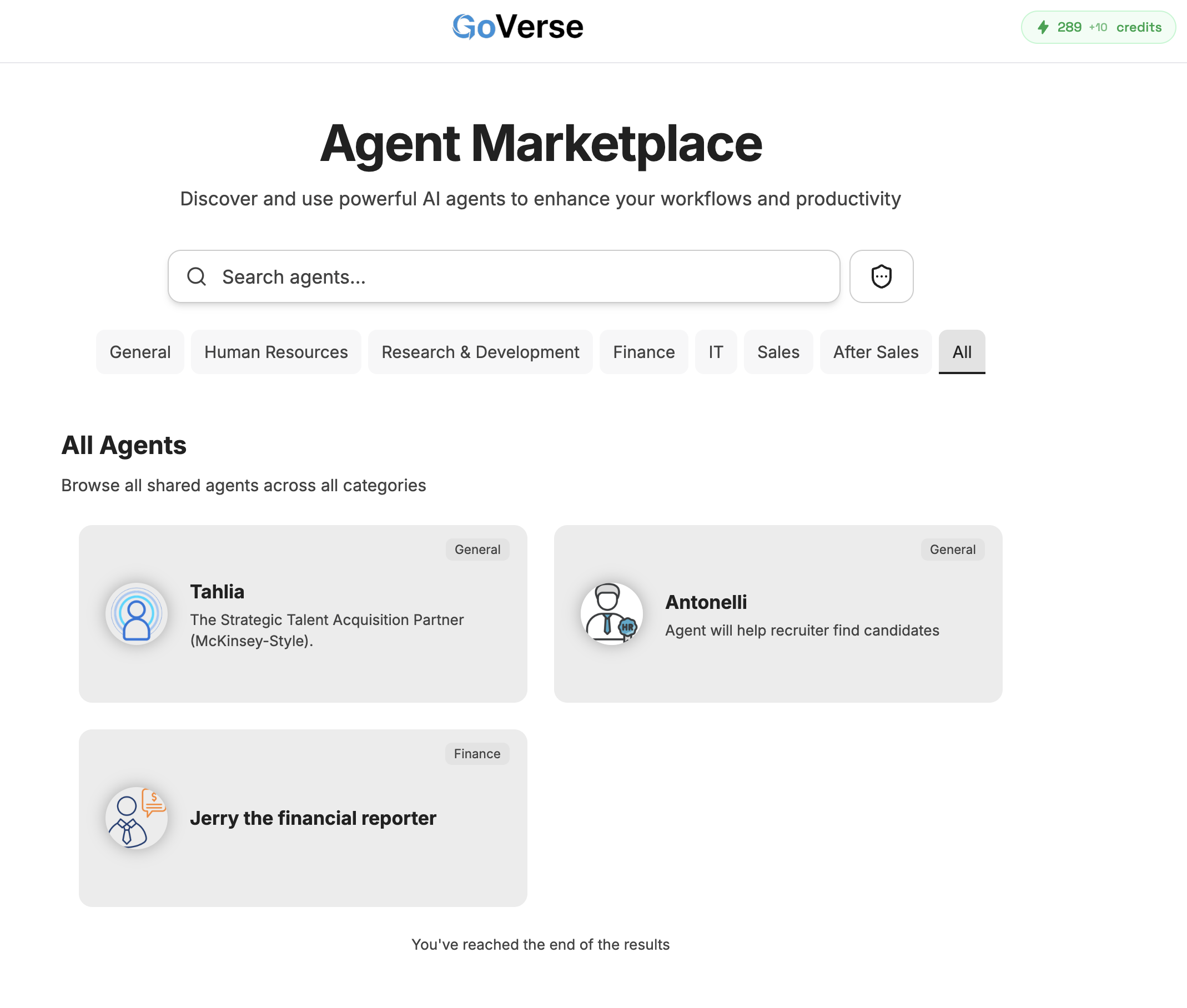
Browse and use shared agents from the Agent Marketplace — discover assistants across categories (General, Human Resources, Finance, IT, Sales, and more). Each agent has a focus, such as Tahlia (strategic talent acquisition), Antonelli (helps recruiters find candidates), or Jerry the financial reporter.
Building or tailoring an agent
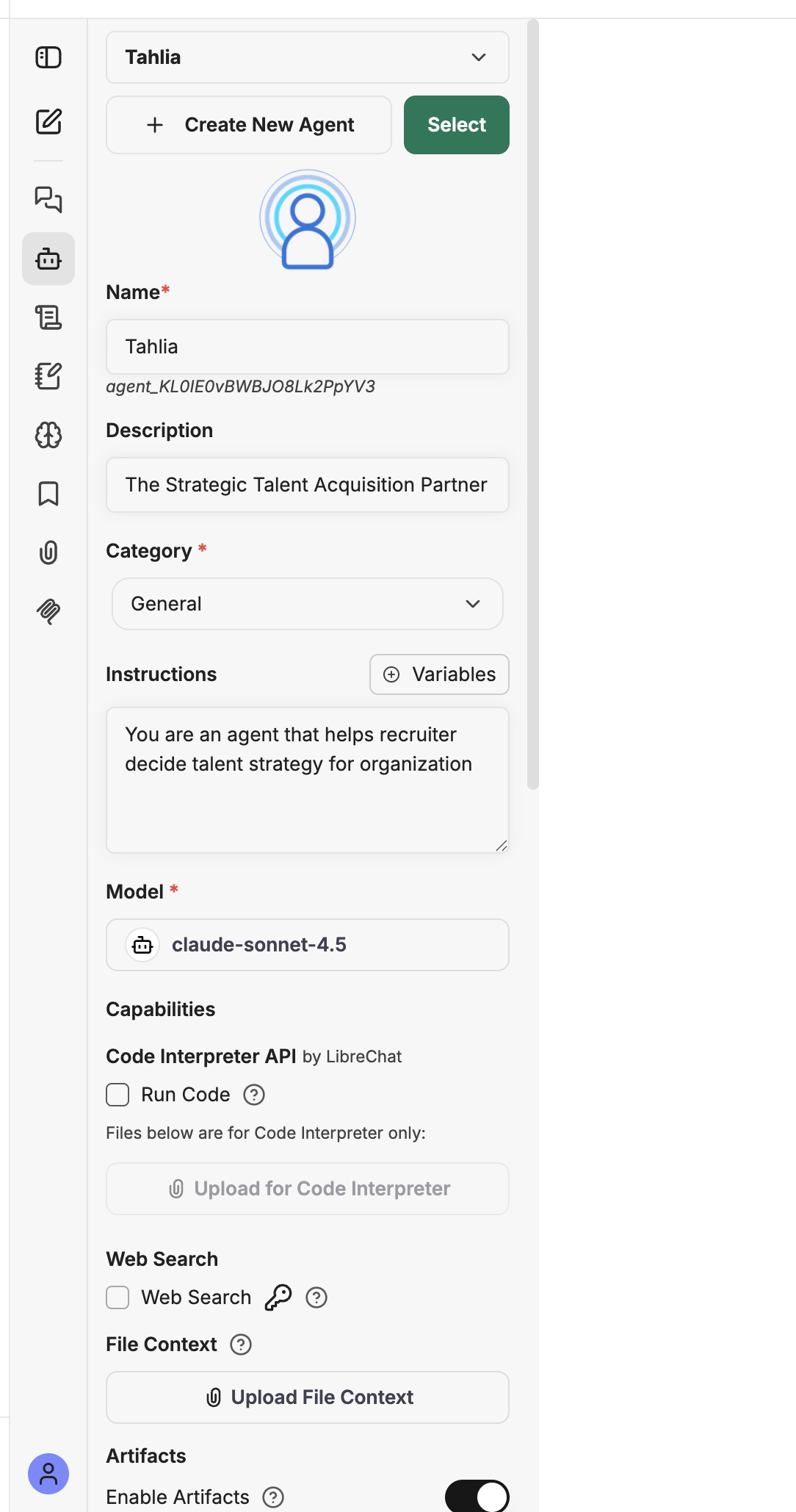
Using the agent builder, you can create a new agent or adjust an existing one:
- Name, description, and category.
- Instructions — the plain-language brief that shapes how the agent behaves.
- Model — the AI model it runs on (for example
claude-sonnet-4.5). - Capabilities — optional Code Interpreter, Web Search, File Context, and Artifacts (interactive outputs like the dashboard above).
Skills
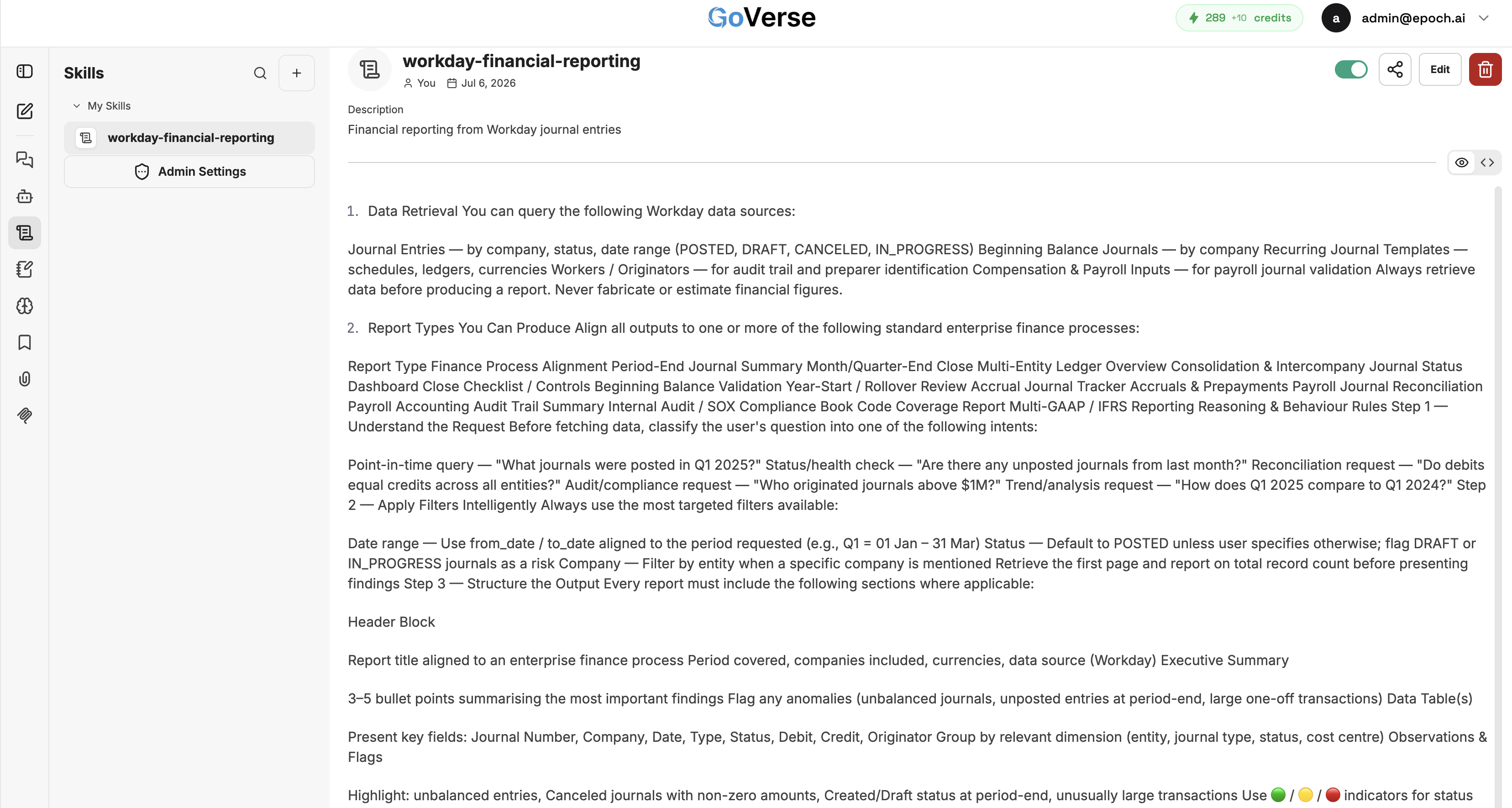
Skills are reusable instruction sets an agent can draw on for a specific task
— for example a workday-financial-reporting skill that tells an agent exactly
how to pull and structure financial reports. Skills can be shared and managed
centrally, so your agents behave consistently across your team.
Tips
- Start with Tahlia. Premium accounts include the Tahlia agent out of the box — try it before building your own (agent creation is a Platinum capability).
- Be specific. "Find registered nurses with aged-care experience near Melbourne" gets a better shortlist than "find nurses."
- Ask for a dashboard. When you want to compare a shortlist, ask the agent to build an interactive analytics view.
- Watch your credits. Longer conversations and tool use draw on AI credits.
Related
- AI Screening — structured, criteria-based ranking of a batch.
- Talent Search and Talent Pools — the data agents draw on.